
How to Share and Collect Event Photos Without an App: Just Scan a QR Code
Learn how to share and collect event photos without an app using a QR code. Guests can join, upload photos, and receive event photos easily.
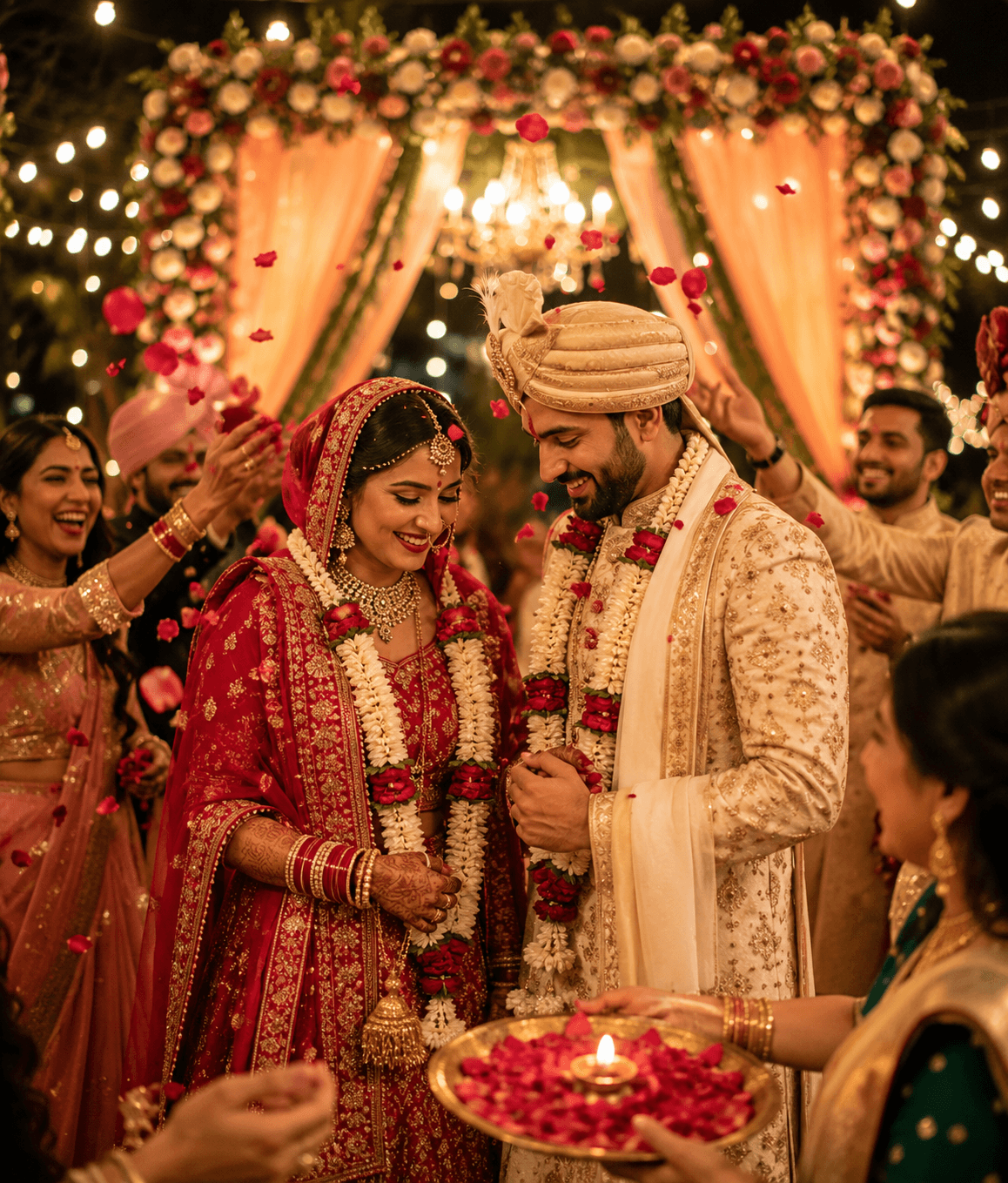
Events are full of moments worth remembering. A photographer may capture the main highlights, but guests also take hundreds of candid photos, videos, and spontaneous moments throughout the event.
The problem is simple: How can everyone easily share their photos with the event while also receiving photos from others — without downloading an app?
With picsadrop, guests can join an event by scanning a QR code. Once they join, they can share their own photos and receive photos from the event in one simple experience.
No app download. No complicated setup. Just scan, join, and share.
One QR Code to Join the Event
Instead of sending guests a long link or asking everyone to install an app, the event organizer can provide a picsadrop Event QR code.
Guests simply:
- Scan the QR code
- Join the event
- Upload their photos
- Receive event photos
The QR code can be displayed at the entrance, on event tables, on a welcome board, on a screen, or anywhere guests can easily see it.
This makes joining the event quick and easy, especially when many people are participating.
No App Download Required
One of the biggest advantages of this experience is that guests don't need to download a separate app just to participate in the event.
A guest can use their smartphone, scan the QR code, and join the event from their device.
That means there is no need to ask guests to:
- Search for an app
- Download an app
- Create another account
- Remember another password
- Learn a complicated photo-sharing system
The experience can stay focused on what guests actually want to do: Share their memories and receive photos from the event.
Guests Can Share Their Own Photos
Professional photographers aren't the only people capturing memories.
Guests are taking photos throughout the event too.
One person might capture the ceremony. Another might capture a funny moment between friends. Someone else might have a great group photo that the professional photographer never saw.
Instead of keeping those photos on individual phones, guests can share them with the event.
After joining the event through the QR code, guests can upload their photos and contribute their own perspective.
This creates a collection of memories from everyone who attended, rather than from just one photographer.
Guests Can Also Receive Event Photos
The experience works both ways.
Guests aren't only contributing photos — they can also receive and access photos shared through the event.
That makes the event photo experience more collaborative: Guests share → Event collects → Everyone gets more memories
For example, imagine a wedding where 200 guests attend.
The professional photographer captures the official wedding photos, while guests capture candid moments, dance-floor photos, family pictures, and funny memories.
Instead of asking everyone to send those photos separately through WhatsApp or email, the event can provide one simple QR code.
Guests join the event and contribute their photos.
The result is a richer collection of memories from the entire celebration.
How Event Photo Sharing Works
The process is designed to be simple.
Step 1: Create the Event
The event organizer or photographer creates an event for the occasion.
It could be a:
- Wedding
- Birthday
- Corporate event
- Conference
- Party
- School event
- Festival
- Family gathering
- Sports event
Step 2: Share the Event QR Code
Display the event QR code where guests can easily find it.
“Join the Event & Share Your Photos”
Step 3: Guests Scan the QR Code
Guests use their smartphone camera to scan the QR code.
They can join the event without needing to download a separate app.
Step 4: Guests Upload Photos
Once they have joined the event, guests can upload the photos they took during the event.
This makes it easy to collect photos from many different people.
Step 5: Guests Receive Event Photos
Guests can also access photos shared through the event.
Instead of everyone keeping memories separately, the event becomes a shared photo collection.
Why Collecting Guest Photos Matters
Some of the best event photos aren't planned.
A photographer might be focused on the stage while a guest captures a funny reaction in the audience.
A photographer might be taking formal family portraits while another guest captures a spontaneous family moment.
These different perspectives make an event photo collection much more complete.
Guest photo sharing helps preserve those moments.
Professional Photos + Guest Photos
The combination can be powerful:
- Professional photographer photos
- Guest photos
- A more complete event memory
Everyone experiences an event differently, and everyone photographs different moments.
Perfect for Weddings
Weddings are one of the best examples of collaborative event photo sharing.
A wedding can have hundreds of guests taking photos throughout the day.
Instead of asking guests individually: “Can you send me that photo?” the couple can provide an event QR code.
Guests scan it, join the event, and share their photos.
Later, the couple and guests can enjoy a collection containing different perspectives from the wedding.
Perfect for Parties and Birthdays
Birthday parties often generate dozens of candid photos.
Friends take selfies, family members capture special moments, and guests photograph decorations, cake cutting, dancing, and celebrations.
An event QR code gives everyone one simple way to contribute those memories.
Perfect for Corporate Events
Corporate events can also benefit from shared photo collections.
Employees, speakers, organizers, and attendees may all take photos during conferences, meetings, celebrations, launches, and team events.
Instead of collecting photos from different messaging groups, an event-based photo collection can bring them together.
No More “Send Me That Photo”
How many times have you taken a great photo at an event and then forgotten to send it to the person who needs it?
Or asked someone: “Can you send me those photos?”
Then the message gets buried.
With an event-based sharing experience, guests have a dedicated place to contribute their photos.
The goal is simple: Don't chase photos after the event. Collect them during the event.
A Better Alternative to Creating Another Group
Many event organizers create WhatsApp groups just to collect photos.
But photo-heavy groups can quickly become difficult to manage.
Photos get mixed with messages, conversations, videos, and notifications.
An event-specific photo-sharing experience keeps the purpose clear: Join the event. Share photos. Receive photos.
FAQ
Do guests need to download an app?
No. The event is designed so guests can join using the QR code without needing to download a separate app.
How do guests join the event?
Guests scan the event's QR code using their smartphone and follow the joining flow.
Can guests upload their own photos?
Yes. Guests can share photos they captured at the event after joining the event.
Can guests receive photos too?
Yes. The experience is designed for two-way photo sharing, allowing guests to contribute photos and receive/access event photos.
Is this only for weddings?
No. Event photo sharing can be useful for weddings, birthdays, parties, corporate events, conferences, school events, festivals, family gatherings, and many other occasions.
Do I need to create a WhatsApp group for photos?
No. An event photo-sharing workflow can provide a dedicated place for guests to share photos instead of mixing hundreds of images into a messaging group.
What makes QR-code event sharing convenient?
Guests don't need to search for the event manually. They can simply scan the QR code and join the event from their smartphone.
Can multiple guests share photos?
Yes. The idea of an event-based photo collection is to allow photos from multiple participants to become part of the event's shared memories.
Turn Every Guest Into a Memory Contributor
An event isn't captured from just one perspective.
The photographer has one camera.
The guests have dozens or hundreds of phones.
Every person captures a different moment.
With picsadrop's event photo-sharing experience, a simple QR code can connect everyone to the same event — allowing guests to join, share their photos, and receive event photos without downloading an app.
So instead of asking guests to download an app or send photos individually, make it simple:
Scan the QR code.
Join the event.
Share your photos.
Receive the memories.
Because the best event photo collection isn't just the photos taken by one person.
It's the story captured by everyone who was there.
Next step
Ready to build a better event gallery?
Use PicsaDrop to collect guest photos, keep full quality, and share everything from one simple link.
More from the blog
Best Photo-Sharing Ideas for Family Gatherings and Celebrations
Discover simple photo-sharing ideas for family gatherings, reunions, birthdays, anniversaries, and celebrations. Learn how to collect guest photos, create shared albums, and preserve family memories.
10 Easy Ways to Share Wedding Photos With Your Guests
Discover 10 easy ways to share wedding photos with your guests, including QR code photo sharing, online galleries, guest uploads, and no-app photo sharing.

Best Practices for Organizing Wedding and Party Albums
A few structure choices can turn a messy photo dump into a gallery people actually enjoy browsing.